
How Signal Usernames Work: Chat Without Sharing Your Number
Published: October 7, 2026
For years, Signal required you to hand out your phone number to everyone you wanted to chat with. Usernames changed that: they give you a way to connect with people while keeping your number to yourself. This guide covers creating a username, sharing it safely, who can message you through it, how it interacts with your phone-number privacy settings, and renaming or removing it.
from Signal's official site — file hosted by Signal, not by us
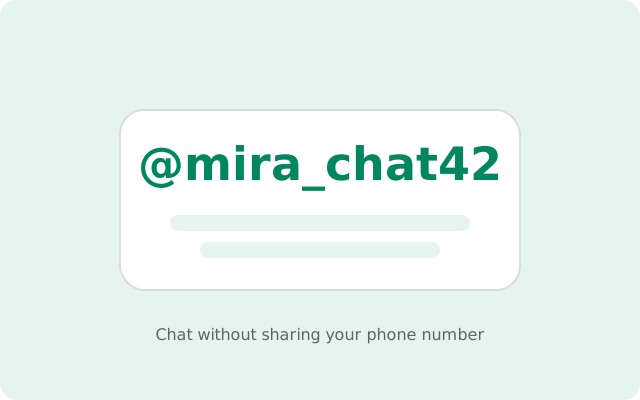
What a Signal username actually is
A Signal username is a unique identifier you create for yourself so people can start chats with you without knowing your phone number. That is all it is. Understanding what it is not matters just as much:
- It is not shown on your profile. The people you chat with see your profile name and photo, exactly as before. Your username is invisible in conversations.
- It is not a login. You do not sign in with your username. Registration and account recovery work the way they always have.
- It is not searchable. There is no public directory of usernames. Nobody can browse or look up usernames they do not already know.
- It does not replace your phone number at registration. You still need a phone number to sign up for Signal. The username only controls who gets to contact you with what.
The design goal is simple: decouple "how to reach me" from "my personal phone number." Before usernames, those were the same thing. Now they do not have to be.
Create your username
Open Settings
Tap your profile or the menu and open Settings.
Go to Profile
Open your profile settings at the top.
Choose a username
Tap the username field and pick one. Usernames must be unique across all of Signal, use lowercase letters, digits, and underscores, and end in at least two digits (for example, @riverchat42). The digits rule keeps usernames egalitarian and makes impersonation harder.
Save it
If the name is available, it is yours immediately. If it is taken, try a variation.
Signal does not force a username on you. Creating one is optional. If you never create one, people can only reach you the old way, by your phone number.
Share your username without your number
Once your username exists, you can share it in three ways:
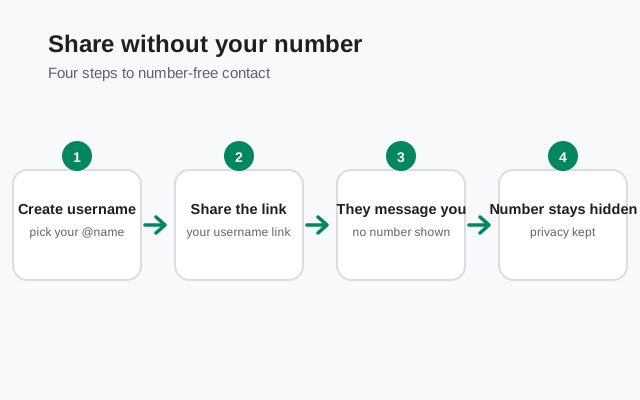
- Say or type it. Tell someone your username and they can type it into Signal's new-chat screen to start a conversation.
- Share the QR code. Signal generates a QR code for your username. The other person scans it and lands straight on a chat with you. No typing, no typos.
- Share the link. Signal also gives you a shareable link pointing to your username. Send it in a message, an email, or post it wherever you want people to reach you.
Because there is no username directory, sharing is entirely in your hands. Your username only reaches the people you give it to. Post the link publicly and anyone can use it; share it privately and it stays private. That control is the whole point.
Who can message you by username
Anyone who knows your exact username can start a chat with you. That is the complete list of who can: there is no search, no suggestions, no "people you may know." A stranger cannot guess their way to you unless they know the exact string, including the digits at the end.
When someone messages you by username for the first time, it arrives like any new conversation. If you have not saved them as a contact, treat it as you would any message from an unknown number: check who they are before trusting them, and block or report if it is spam.
One honest caveat: a username keeps your number private, not your existence. The person you are chatting with knows you are on Signal and sees your profile name and photo. If your profile name is your real name, consider whether that is what you want strangers to see before sharing your username widely.
Username and phone-number privacy settings
A username alone does not hide your number from everyone. It works together with the phone-number privacy settings in Settings > Privacy. This is the interplay that matters:
- "Who can see my number." Set this to Nobody so your phone number is hidden from people you message, including in group chats. People who already have your number saved in their contacts can still see it.
- "Who can find me by my number." Set this to Nobody if you do not want anyone to discover you on Signal by typing your phone number. The trade-off: your existing contacts will not automatically see that you are on Signal unless you message them first. Leave it on the default if that convenience matters more to you.
- Username. With the two settings above locked down, your username becomes the only public way to reach you, which you fully control.
If you installed Signal before usernames existed, your number visibility may still be on the old defaults. Worth a one-minute check in Settings > Privacy. And remember the signup honesty: a phone number is still required to register. Usernames hide your number from other people; they do not remove it from the signup process. Our guide on using Signal without a phone number covers what is and is not possible there.
Rename or remove your username
Usernames are designed to be disposable:
- Change it any time. Go back to Settings > Profile and pick a new one. Your existing contacts are not notified, and your chats continue normally. The username is not displayed in conversations, so nothing visibly changes for them.
- Use temporary usernames. Create one for a conference, a group trip, or a marketplace sale, then change it when the event is over. The old username stops working.
- Delete it entirely. You can remove your username in the profile settings. After that, people can only reach you by your phone number again.
When you change or delete a username, old links and QR codes for it stop working. That is useful (a leaked username dies instantly) but also means you should update anywhere you posted it.
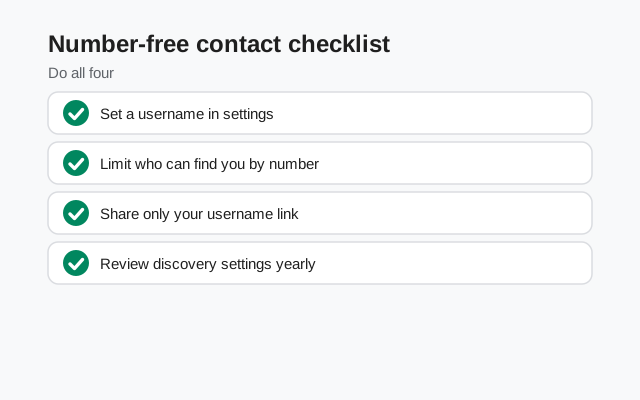
Checklist: chat without sharing your number
| Step | What to do |
|---|---|
| Create | Settings > Profile → pick a unique username ending in at least two digits |
| Hide your number | Settings > Privacy → "Who can see my number" → Nobody |
| Control discovery | Same screen → decide who can find you by your number |
| Check your profile | Your profile name and photo are visible to chats. Use ones you are comfortable sharing |
| Share deliberately | Username, QR code, or link only with the people you want to reach you |
| Rotate when needed | Change or delete the username after events; old links stop working |
Pair usernames with the rest of Signal's privacy toolkit (timers, view-once media, and profile controls) in the Signal features hub.
FAQ
How do I create a Signal username?
Go to Settings > Profile and tap the username field. Pick a unique name using lowercase letters, digits, and underscores, ending in at least two digits. If it is available, it is yours.
Can I use Signal without sharing my phone number?
Yes, for contacting people: create a username, set "Who can see my number" to Nobody, and share only the username. But you still need a phone number to register. Usernames do not remove the signup requirement.
What are the username rules in Signal?
Usernames must be unique, use lowercase letters, digits, and underscores, and end in at least two digits (for example, @riverchat42). They are not shown on your profile and there is no public directory of them.
Can someone find me on Signal with just my username?
Only if they know your exact username. There is no search or directory, so nobody can browse for you.
Will my contacts be notified if I change my username?
No. Your username is not displayed in conversations, so changing or deleting it is invisible to your existing chats.
What happens to my old username link if I rename it?
Old QR codes and links stop working. Anyone with the old one can no longer reach you through it, so update anywhere you posted it.
Keep reading
- how Signal stories work: 24-hour posts with audience controls
- disappearing message timers: timers for the whole chat
- usernames vs phone numbers: how the privacy model changed
- view-once photos: media that vanishes after one view
- how Signal stickers work: packs, installs and creating your own