
Signal Link Previews Not Showing? How to Fix It
Published: October 7, 2026 Updated: October 8, 2026
You paste a link, and instead of the nice card with a title and thumbnail, you get… the bare URL. Signal link previews not working has two very different explanations: either a setting or an outdated app is suppressing previews that should appear, or the link itself can never produce a preview and nothing will fix it. This guide shows you how to tell the two apart in about a minute, fix the first case, and stop fighting the second.
from Signal's official site — file hosted by Signal, not by us
The 1-minute check: setting and version
Do these two things before theorizing:
Confirm previews are enabled
Signal has a setting that controls link previews. Find it in the app's settings and make sure it is switched on. With it off, every link stays a bare URL, which looks exactly like "previews are broken."
Update the app
Preview handling improves with new versions. If your app is months old, update it from Signal's official APK page (or your usual source) and test again.
Then run the decisive test: send yourself a link from a big, well-built site, a major news outlet for example. If that previews fine, your app is healthy and the problem is the specific link. Jump to the "links that will never preview" section and save yourself an hour.
How link previews actually work
A link preview is not magic. It is a small card Signal builds from the linked page's own metadata. When a link is sent, the page is fetched, and Signal reads its preview metadata: the title, a short description, and a thumbnail image that the site's owner embedded in the page for exactly this purpose (usually OpenGraph tags).
The chain has four links, and any one of them breaks the preview:
The page must exist and load
A dead link, a typo'd URL, or a page that requires login gives the fetcher nothing to work with.
The page must offer metadata
Many pages publish no title, description, or image metadata: plain documents, some forums, minimal sites. No metadata, no card.
The site must allow fetching
Some sites block automated fetching or bot-like requests. The fetcher gets refused, and there is no preview.
Your app must have previews enabled
The setting from the previous section. All the metadata in the world does nothing if your app is told not to build previews.
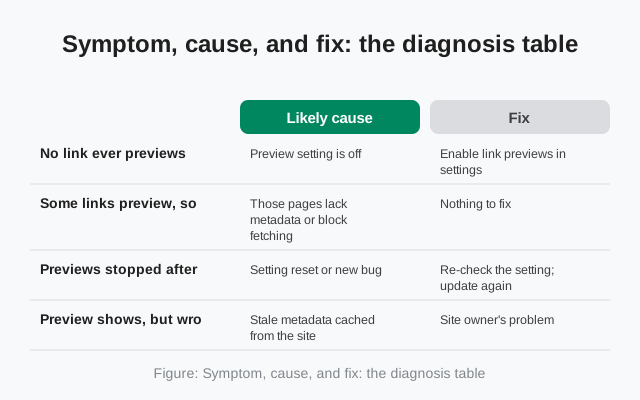
Understanding this chain is the whole diagnostic: when a preview is missing, exactly one of these four failed. The table below maps symptoms to the failed link.
Symptom, cause, and fix: the diagnosis table
| What you see | Likely cause | Fix |
|---|---|---|
| No link ever previews | Preview setting is off | Enable link previews in settings |
| Some links preview, some don't | Those pages lack metadata or block fetching | Nothing to fix. Normal behavior |
| Previews stopped after an update | Setting reset or new bug | Re-check the setting; update again |
| Preview shows, but wrong title/image | Stale metadata cached from the site | Site owner's problem. Usually fixes itself |
| Preview works on Wi-Fi, not data | Data saver or restricted background data | Allow Signal background data; disable data saver for it |
| Link previews in one chat only | Those links specifically can't preview | Test with a known-good link to confirm |
| Shortened links never preview | Shortener blocks or strips metadata | Expand to the full URL before sending |
The preview setting
The setting is the on/off switch for the entire feature, and it is the first thing to verify because everything else is downstream of it. Open Signal's settings, find the link-previews option, and confirm it is enabled.
Two things people miss about it:
- It can get reset. Major updates and reinstalls occasionally reset preferences. If previews worked last month and stopped for every link, the setting silently flipping is more likely than a bug.
- It is per-device. Your phone can have previews on while your linked desktop has them off, or vice versa. Check the device where previews are missing, not the other one.
If the setting is on and previews still fail for every link including known-good ones, update the app and restart it. If they fail for only some links, the setting was never the problem. Read on.
Sender vs receiver: whose phone matters
A common confusion: you send a link with no preview, and your friend says "looks fine to me", or the reverse. Whose setting is at fault?
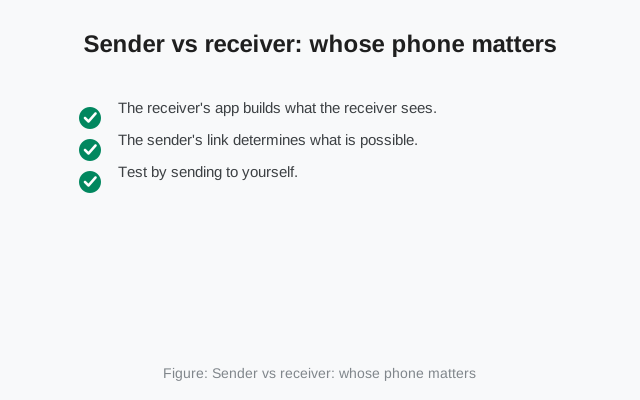
- The receiver's app builds what the receiver sees. If you do not see a preview, the relevant setting and app version are yours. The sender cannot fix your view.
- The sender's link determines what is possible. If the link itself cannot produce a preview (no metadata, blocked site), nobody's settings will conjure one. Both sides see the bare URL.
- Test by sending to yourself. Your Note to Self chat is the perfect laboratory: send the suspect link there. What you see is exactly what the feature can do with that link on your device. No second person needed.
This also settles the "is it me or them" debate fast: if the link previews in your Note to Self but not in the chat with your friend, compare notes on settings and versions. If it previews nowhere, it is the link.
Links that will never show a preview
This is the section that saves the most wasted time. These links cannot produce previews, on any app, with any setting:
- Pages with no preview metadata. Plain text files, raw file downloads, many forum threads, minimal personal sites, and most pages that were never optimized for sharing. The page loads fine for humans; it just offers nothing for a preview card to display.
- Sites that block fetching. Some sites refuse automated requests or require JavaScript rendering the fetcher does not do. The fetch fails, the card stays empty.
- Login-walled pages. Anything behind a login, your bank, a private document, a members-only article, cannot be fetched anonymously, so there is no preview. This is correct behavior; a preview of your private banking page would be a privacy disaster.
- Malformed or truncated links. A URL missing its https://, a link broken across two lines, a pasted URL with a stray space: the fetcher cannot resolve it. Re-copy the full link carefully.
- Some URL shorteners. Shortened links sometimes resolve through chains that strip or block metadata fetching. Pasting the full destination URL instead often fixes it.
- Non-web links. App deep links, file paths, and protocol links (like mailto:) are not web pages. There is nothing to preview.
The test that ends the debate: paste the same link into any other messaging app. If none of them show a preview either, the link is unpreviewable and the case is closed. Stop reinstalling things.
The privacy angle: what previews reveal
Previews raise an obvious privacy question: when a preview card appears, did the linked website learn that you, specifically, opened the chat? This matters because Signal's whole pitch is privacy, so here is the honest, general picture:
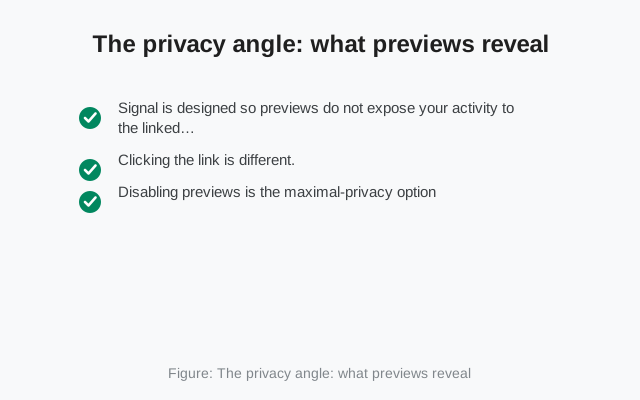
- Signal is designed so previews do not expose your activity to the linked site the way clicking the link would. The site owner cannot tell from a preview whether or when you read the message.
- Clicking the link is different. The moment you tap through to the actual page, you visit it like any web visit. The site sees a visitor. A preview is not a visit; a tap is.
- Disabling previews is the maximal-privacy option: no fetching happens at all, and every link stays a bare URL you open deliberately.
Practical takeaway: leaving previews on is fine for everyday use. That is the default because the design accounts for it. If you are exchanging links whose mere existence you want to keep private from the linked sites, turn previews off and open links deliberately. And never "test" a suspicious link by tapping it. A preview is safe to look at; a tap is a visit.
Previews that show, but wrong
The last category: a preview appears, but with the wrong title, a stale image, or a description from three redesigns ago. This is not your phone's fault. It is the website's. Sites cache their preview metadata, sometimes aggressively, and the card reflects whatever the site served when it was fetched.
- Wait it out. Most sites refresh their metadata within hours or days; the preview corrects itself.
- It is the site owner's problem. Only they can fix their metadata. There is no button in Signal that re-fetches a site's card on demand.
- Check the actual page. If the page itself shows the right title, the preview will catch up. If the page is wrong too, the site is just wrong.
And if link-preview trouble is one symptom among several (messages not sending, media stuck), the underlying issue is connectivity or the app itself rather than previews. The message-stuck guide and the not-receiving guide cover the foundations.
FAQ
How do I turn on link previews in Signal?
Open Signal's settings and find the link-previews option. Make sure it is switched on. It's a per-device setting, so check it on the device where previews are missing, and re-check it after major updates in case it was reset.
Why do some links show previews and others don't?
Those links can't produce previews: the page has no preview metadata, the site blocks fetching, the page needs a login, or the URL is malformed. Test the same link in another messaging app. If none show a preview, the link itself is the reason.
Do link previews tell the website I read the message?
No. Signal is designed so that generating a preview doesn't expose your reading activity to the linked site the way clicking the link would. Tapping through to the page, though, is a normal web visit.
Why did link previews stop working after an update?
Updates can reset the preview setting, so check that first. Also confirm you're on the latest version, since preview handling improves over time, and restart the app.
Can I get a preview for a shortened link?
Sometimes. URL shorteners can strip or block the metadata fetching. Try expanding the short link to its full destination URL and sending that instead.
A preview shows the wrong title and image. How do I refresh it?
You can't force it. The card reflects the site's cached preview metadata, which is the site owner's to fix. It usually corrects itself within hours or days.
Keep reading
- when messages themselves won't send: message-stuck guide
- messages not arriving at all: not-receiving guide
- quoting messages with context: reply and quote guide
- when a stuck app needs clearing: cache-clearing guide