
Why you should avoid Signal APK mirrors
Published: October 7, 2026 · Updated: October 8, 2026
Signal FoundationNo, Signal APK mirrors are not safe. The only trustworthy source for the Signal APK is signal.org/android/apk, Signal's own download page. Every third-party mirror is run by strangers, and a file from a mirror can be outdated, modified, or outright fake, with no reliable way for you to tell the difference after the fact.
This page explains why mirrors exist, the three concrete risks they carry, how to spot a fake Signal APK, and what to do if you already downloaded one. We are an independent guide, not Signal, and we never host APK files ourselves.
from Signal’s official site — file hosted by Signal, not by us.
Why mirrors exist in the first place
Mirror sites exist because they solve small inconveniences. Some people cannot reach signal.org from their network. Some want old versions that Signal no longer offers. Some just land on a mirror through a search result and never question it. A few mirrors even look professional, with version histories, screenshots, and user comments.
None of that makes them safe. A mirror is a middleman you did not choose, handling the installer for the app that will carry your private conversations. The question is never "does this mirror look legit?" The question is "why would I trust a stranger with this when the publisher offers the file directly?" There is no good answer to the second question.
It helps to be precise about what a mirror can and cannot promise. A mirror can promise that a file was probably copied from Signal's page at some point. It cannot promise the file was not modified afterward, and it cannot promise the copy is current. Both of those gaps matter, as the next section shows.
The three real risks of mirror APKs
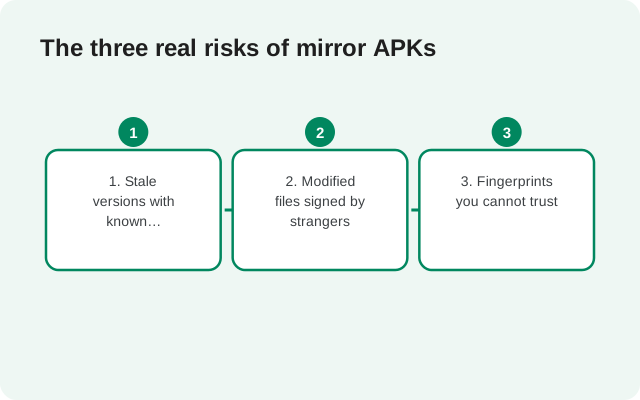
1. Stale versions with known security holes
Mirrors are often slow to update, and some never update at all. An old Signal build is missing the security fixes that newer releases contain. Messaging apps are high-value targets, and running a version from six months ago because a mirror never refreshed its copy is a genuine, boring, common way people get hurt. Signal's own page always serves the current build, so this risk disappears the moment you use the official source.
2. Modified files signed by strangers
This is the serious one. An APK's signature tells you who built it. The official website build is signed with Signal's website-build key. A modified APK, repackaged with added code, must be signed with a different key, because nobody outside Signal has Signal's private key. That means a tampered file cannot silently replace the official one through the normal update flow, but it absolutely can fool someone who installs it fresh: Android will happily install a maliciously modified APK as long as you tap through the prompts.
What could a modified Signal APK do? In the worst case, anything a messaging app can do: read your messages before encryption, capture what you type, or exfiltrate your contacts. You would have no easy way to notice, because it would look and behave like Signal. This is not hypothetical paranoia; trojaned versions of popular messaging apps are a well-documented scam pattern, and our safety guide covers the fake-APK economy in more depth.
3. Fingerprints you cannot trust
Signal publishes the SHA-256 fingerprint of its signing certificate on its download page, and that fingerprint is the gold standard for verification. But a fingerprint only means something when you read it from a source the attacker does not control. A mirror that shows you a fingerprint next to its download button is asking you to trust the mirror about the file the mirror itself is serving. That proves nothing. Verification only works when the fingerprint comes from signal.org and the file is checked against it, which our fingerprint verification guide walks through step by step.
Red flags vs green flags
Use this table whenever someone sends you a Signal APK or you land on an unfamiliar download page:
| Red flag (walk away) | Green flag (official) |
|---|---|
| The site is not signal.org | The download page is signal.org/android/apk |
| The file is called "Signal Pro", "Signal Plus", or "Premium" | One app only: Signal Private Messenger. Those editions do not exist |
Package name is anything other than org.thoughtcrime.securesms | Package name is exactly org.thoughtcrime.securesms |
| The site asks you to install a "downloader app" first | One direct file download, no helper apps |
| Pop-ups promise the "latest cracked" or "unlocked" version | No pop-ups, no cracks, no unlocks: Signal is free and open source |
| A fingerprint is shown on the mirror's own page | The fingerprint is read from Signal's own download page and checked with a tool you run yourself |
| The site pushes an old version as "more stable" | The official page serves the current build only |
One red flag is enough. You do not need to collect evidence; just close the page and go to the official source.
I already downloaded from a mirror. Now what?
Do not panic, but do not install it either. Follow these steps in order:
-
Do not open or install the file
An APK cannot harm your phone until you install it. If the file is still just sitting in your downloads, you are fine. Delete it when you are done reading this.
-
Get the official file instead
Go to signal.org/android/apk on the same phone and download the APK from there. If you already installed the mirror's file, uninstall it first, then install the official one.
-
Verify the fingerprint
Read the SHA-256 fingerprint printed on Signal's download page and check the signing certificate of the file you downloaded, character by character. Our verification guide shows the exact steps on every platform. This is the step that turns "I hope this is fine" into "I know this is fine."
-
If you installed the mirror file and used it, take it seriously
If you registered and chatted through a mirror-sourced APK, treat the situation as a possible compromise: switch to the official build, and consider that messages sent through the suspect app may have been exposed. There is no undo button for this, which is exactly why the official source matters.
What if signal.org is blocked where I live?
This is the one sympathetic case for mirrors, and the answer is still: do not use them. If Signal's site is unreachable from your network, the safer paths are a reputable VPN or the Tor network to reach the official page, or asking someone you personally trust to download from the official page and transfer the file to you directly, after which you still verify the fingerprint from signal.org yourself.
A mirror does not become trustworthy just because the official page is hard to reach. The risks are identical; only your options changed. Our install guides for regions where Signal is restricted will cover this situation in detail. If you go the trusted-person route, have them download from the official page in front of you if possible, transfer the file over a direct connection rather than a public upload, and still run the fingerprint check yourself before installing. Trust is not transitive: the file is only as safe as your own verification.
Some mirrors display badges claiming their files are "verified" or "virus-scanned". These badges are issued by the mirror itself or by scanners checking for known malware, neither of which can confirm the file is Signal's unmodified build. Only the signing-certificate fingerprint, read from signal.org, does that.
Frequently asked questions
Is there any safe Signal APK mirror?
No mirror is endorsed or verified by Signal. Treat every third-party APK site as untrusted, regardless of how professional it looks or what its badges claim.
What about big, well-known APK sites?
Reputation does not solve the core problem: you cannot confirm the file was not modified after it left Signal's servers, and stale copies are common. The official page is one tap away; there is no reason to accept the extra risk.
Can I check if a mirror's file matches the official one?
Only by comparing its signing certificate against the SHA-256 fingerprint published on signal.org/android/apk. If the certificate matches, the file is byte-identical in the ways that matter. But at that point you have done more work than just downloading from the official page.
Someone sent me a Signal APK over chat. Is it safe?
No. Never install an APK that arrived through a chat, email attachment, or file-sharing link. Get it from signal.org/android/apk yourself, even if the sender meant well.
Do mirrors ever serve the real, unmodified file?
Sometimes, yes. That is what makes them dangerous: they work fine ninety-nine times, which builds the trust the hundredth download exploits. The official source works every time.
Related guides
- Download guides hub
- Download Signal APK (official)
- Is the Signal APK safe?
- Verify the SHA-256 fingerprint
- Signal APK file details