
Can You Schedule Messages on Signal? The Honest Answer
Published: October 7, 2026 · Updated: October 8, 2026
Let us save you the hunt: there is no scheduling feature in Signal. Not in a hidden menu, not in the latest version, not on Android, iPhone, or desktop. This page will not pretend otherwise and will not invent one. What it does instead:
- explain WHY scheduling does not exist in Signal (the reason is real and worth understanding)
- show you the workarounds people actually rely on (from the simple Note-to-Self-draft trick to phone reminders)
- warn you about the sketchy third-party scheduler apps you should avoid
from Signal's official site — file hosted by Signal, not by us
The direct answer: no scheduling exists
If you searched for "how to schedule a message on Signal," here is the complete truth: Signal does not offer scheduled or delayed sending. You cannot compose a message tonight and have it arrive tomorrow morning. There is no send-later button, no "schedule send" in the long-press menu, no timer in the chat settings. WhatsApp does not have it either, for what it is worth. Telegram does, which is where most of the confusion comes from.
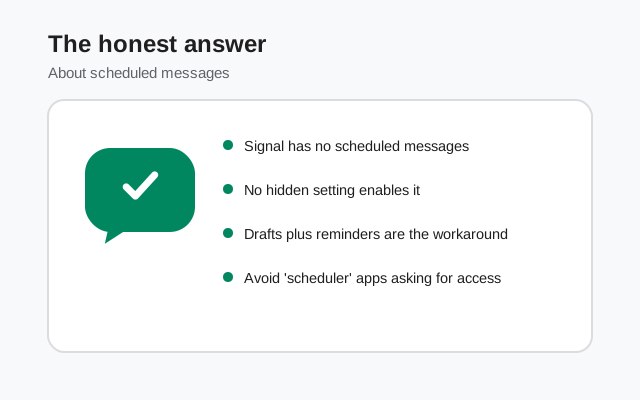
Any article that tells you to tap a schedule button in Signal is either describing a different app or making things up. We would rather tell you no than waste your evening hunting through menus. The rest of this page is about what you CAN do instead. The reasons below will make the workarounds feel less like a missing feature and more like a deliberate tradeoff.
Why Signal has no scheduled messages
This is not laziness. Scheduling is genuinely hard to do the Signal way, and understanding why makes the workarounds easier to accept.
Here is the core problem. Signal is end-to-end encrypted. That means Signal's servers hold only ciphertext: scrambled data they cannot read. For a server to send your message at 8 AM tomorrow, one of two things must happen:
- The server holds your plaintext message until send time. That would mean Signal's servers store readable copies of your unsent messages. This breaks the entire security model. Signal would become a company holding your unwritten thoughts on its computers. They will not do this.
- Your phone sends it at 8 AM. This works in theory: your phone holds the encrypted message and fires it at the right time. But your phone must be on, online, and running Signal at that moment. If your phone is off, in airplane mode, or the app was killed by battery optimization, the message never sends, silently. A scheduling feature that randomly fails is arguably worse than no feature.
Telegram can schedule easily because Telegram's servers can read your (non-secret-chat) messages. They hold the plaintext and fire it on time. That convenience is paid for with a weaker privacy model. Signal's design makes server-side scheduling impossible without weakening encryption, and client-side scheduling unreliable because phones sleep.
There is also a philosophical layer: Signal's developers are famously conservative about adding features. Every feature is new code, new attack surface, new maintenance. A feature that half the messengers skip is not getting rushed in. If scheduling ever arrives, it will arrive slowly and carefully. It has not arrived yet.
So: no schedule button, for real engineering reasons, not oversight. Now the practical part: what people actually do.
Workaround 1: Note to Self drafts + a reminder
This is the most popular workaround in the Signal community, and it is beautifully simple. Note to Self is your personal chat: a conversation with yourself that only you can see. Use it as a draft box:
Write the message in Note to Self
Open your Note to Self chat (it is at the top of your contact list, or search for it) and type the message exactly as you want to send it later. Do not send it. Just leave it sitting in the compose box, or send it to yourself as a saved draft message. Our Note to Self guide covers the chat itself in detail.
Set a phone reminder for send time
Use your phone's clock app alarm or reminder (next section) for the moment you want the message to go out.
Copy, paste, send
When the reminder fires, open Note to Self, copy the text, open the real chat, paste, send. Thirty seconds of work.
Why this works well: the draft lives inside Signal, encrypted like everything else. No third party ever sees your unsent message. It handles the two most common scheduling needs (the birthday message you wrote at midnight, the work message you do not want to send at 2 AM) with zero new apps and zero risk.
The honest limit: you still have to be awake and willing. This is a reminder system, not automation. If you sleep through the alarm, the message does not send itself. For genuinely time-critical messages (medication reminders for someone else, a time-sensitive work message), this workaround is not enough. Use a channel that supports real scheduling, or accept the manual step.
Workaround 2: your phone's own reminder tools
Your phone already has everything needed for the reminder half of the equation, built in and free:
- Clock app alarms. Set an alarm labeled with the message and the recipient ("Send birthday text to Sara"). Alarms are loud, hard to ignore, and work even when the phone is locked. Best for: one-off, time-critical messages.
- Reminders / Tasks apps. Both Android and iPhone ship with a reminders app. Create a reminder with the full message text in the notes field and a time. When it fires, you copy the text into Signal. Best for: messages you need to send days from now, where an alarm would be forgotten.
- Calendar events. Put the message in a calendar event's description with an alert 10 minutes before. Best for: recurring messages (weekly check-ins, monthly bill reminders). Set the event to repeat and you have a permanent "scheduler" for that message.
None of these send the message for you. All of them are private, free, and already installed. For most people's actual scheduling needs ("remind me to send this at a decent hour"), a labeled alarm plus a Note to Self draft is the complete solution.
Workaround 3: generic reminder apps (with caution)
Beyond the built-in tools, there are general-purpose reminder and to-do apps that can nudge you at send time. We are deliberately not naming specific ones here. Not because they are all bad, but because app quality changes fast and a recommendation we print today could be an acquisition-and-data-harvest story tomorrow.
If you go this route, apply two rules:
- Use it as a reminder, not a sender. An app that reminds you to send a message is fine. An app that claims to SEND Signal messages for you needs deep access to your phone (notification access, accessibility permissions, sometimes your contacts) to pull it off. That access is exactly what you should not hand to a random app. See the next section.
- Check what it asks for. A reminder app needs: the ability to show you a notification at a time. That is it. If it asks for your contacts, your SMS, accessibility access, or "notification access" to read other apps' notifications, that is a red flag. Walk away.
For almost everyone, the built-in clock and reminders apps (workaround 2) do the same job with none of the risk. Third-party reminder apps only earn their place if you need features your built-ins lack, like location-based reminders or complex recurrence.
Apps to avoid: the "Signal scheduler" trap
Search any app store for "schedule Signal messages" and you will find apps promising to do exactly what this page says is impossible. Here is how they actually work, and why you should avoid them:
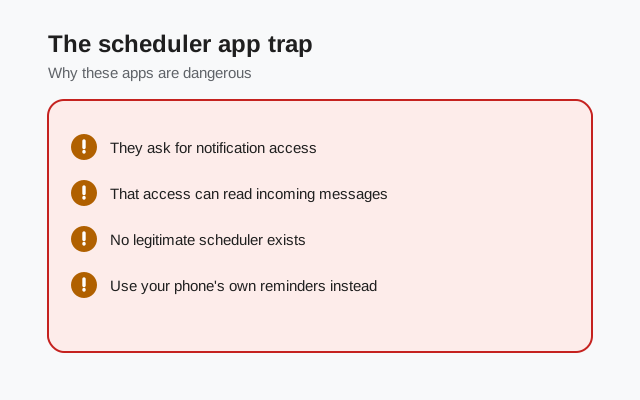
- They cannot send through Signal's encryption. No third-party app has access to Signal's sending pipeline. What these apps actually do is use Android's accessibility services or notification access to simulate taps: literally remote-controlling your phone to open Signal and press send. This is fragile (breaks every time Signal updates its UI) and requires permissions that let the app see everything on your screen.
- The permissions are the product. An app that can read all your notifications and simulate screen taps can read your messages, your banking app, your passwords as you type them. Some of these apps are legitimate utilities; many are data harvesters wearing a utility costume. You cannot tell which is which from the app store page.
- They break silently. Battery optimization kills background apps. Android revokes accessibility permissions after updates. Your "scheduled" message quietly never sends, and you find out when the person asks why you forgot their birthday.
The rule is simple: if an app claims to schedule Signal messages, it is either lying about how well it works or telling the truth about permissions you should never grant. Either way, do not install it. The Note to Self + alarm method does the same job with zero new permissions.
The same warning applies to "Signal mods" or "Signal Plus" APKs that advertise scheduling. There is no legitimate modified Signal client with scheduling. Modified clients are a classic malware vector, and installing one means handing your encrypted conversations to strangers. Get Signal only from Signal's official APK page or the Play Store.
Can you request the feature?
Yes: Signal tracks feature requests in its community forum, and scheduled messages is one of the long-standing requests there. Adding your voice (a calm, specific use case beats "please add this") helps the team gauge demand. But set expectations honestly: this request has existed for years, the technical obstacles above are real, and Signal's roadmap moves slowly by design.
Do not hold your workflow hostage waiting for it. The workarounds on this page are what Signal's own long-time users actually do, and they work today.
Workarounds compared
| Method | Sends automatically? | Private? | Effort | Best for |
|---|---|---|---|---|
| Note to Self draft + alarm | No: you send it | Yes, fully encrypted | Low | Most people, most cases |
| Built-in reminders / calendar | No: you send it | Yes | Low | Future-dated and recurring messages |
| Generic reminder app | No: you send it | Depends on the app | Medium | Complex recurrence needs |
| "Signal scheduler" apps | Claims yes, unreliably | No: avoid | High risk | Nothing. Do not use. |
| Switching to Telegram | Yes, natively | Weaker model | Switching apps | Only if scheduling beats encryption for you |
The bottom line of the table: nothing on Signal sends for you, and anything claiming to is either unreliable or unsafe. Draft + reminder is the honest answer, and for most people it is genuinely enough.
FAQ
Can you schedule messages on Signal?
No. Signal has no built-in scheduled or delayed sending on Android, iPhone, or desktop. There is no send-later button in any menu.
Why does Signal not have scheduled messages?
Signal is end-to-end encrypted, so its servers cannot hold readable copies of unsent messages to send later. Client-side scheduling would fail silently whenever your phone is off or asleep. Telegram can schedule because its servers can read your messages: a weaker privacy tradeoff.
How do I send a message later on Signal?
Write it as a draft in your Note to Self chat, set a phone alarm or reminder for the send time, then copy, paste, and send when the reminder fires. It is manual but private and reliable.
Are there apps that schedule Signal messages?
Some apps claim to, using accessibility permissions to simulate taps. They are unreliable and require permissions that let them see everything on your screen. Do not install them.
Will Signal add scheduled messages in the future?
It is a long-standing community feature request, but the technical obstacles are real and Signal's roadmap moves slowly. Do not plan around it arriving. Use the draft-and-reminder workaround.
Is there a modded Signal APK with scheduling?
No legitimate one. Modified Signal clients advertising scheduling are a classic malware vector. Only get Signal from Signal's official APK page or the Play Store.
Keep reading
- Note to Self: the draft box at the heart of the scheduling workaround
- disappearing messages: the other time-based message feature Signal actually has
- muting chats: silence the conversation until you're ready to send
- is the Signal APK safe?: why modified APKs promising extra features are dangerous