
Signal Android Beta: How to Join and Install It Safely
Published: October 7, 2026
from Signal's official site — file hosted by Signal, not by us. Stable website build, version 8.29.3. Package org.thoughtcrime.securesms.
A Signal beta APK is a pre-release test build of Signal for Android, made by Signal Foundation itself. It is free, it is real, and it is the only legitimate way to try new Signal features before everyone else gets them. The short answer to "how do I get it": join through Signal's own beta page and never through an APK mirror site. The beta (recently in the 8.30.x range, while the current stable website build is 8.29.3) will have bugs. That is the whole point of a beta, and you should know exactly what you are signing up for before you install one.
What is the Signal beta APK?
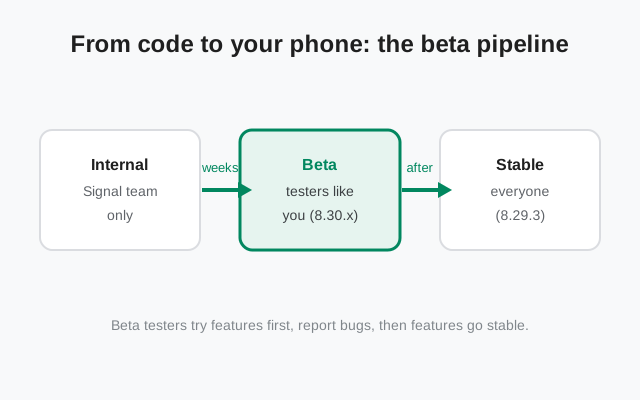
Every new Signal feature goes through the same pipeline. First Signal's own team tests it internally. Then it goes to beta testers. Then, after the bugs are found and fixed, it ships to everyone in the stable build. The beta APK is that middle step: a finished-looking app that is still being watched for problems.
The beta APK is published by Signal Foundation, the same developer that publishes the stable app. It carries the same package name, org.thoughtcrime.securesms, and it ships through Google Play’s beta testing program or as a pre-release APK on Signal’s GitHub releases page, not through the stable download page, which serves stable builds only. It is not a mod, not a "Signal Pro", and not a third-party repackage. There is no such thing as a paid or unlocked edition of Signal, and any site that claims to offer one is lying to you. Our mirror warning guide explains why those fake editions are dangerous.
Beta builds have their own version numbers that run ahead of stable. At the time of writing, the stable website build is 8.29.3 and recent beta builds have been in the 8.30.x range. Version numbers move fast, so always check Signal's own pages for what is current rather than trusting a blog post that quotes a number.
Beta vs stable: what is different
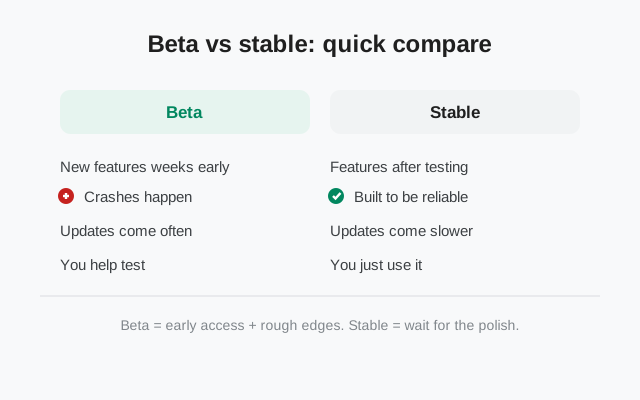
| Thing | Beta | Stable |
|---|---|---|
| Version | Runs ahead (e.g. 8.30.x at time of writing) | Current public release (8.29.3) |
| New features | Weeks before everyone else | Only after beta testing |
| Stability | Crashes and glitches are expected | Built to be reliable day to day |
| Updates | Frequent, sometimes with breaking changes | Slower, polished releases |
| Your job | Try things and report bugs | Just use the app |
| Where from | Only Signal's official beta page | Signal's download page or Google Play |
| Who should join | Curious testers, developers, people who can tolerate bugs | Everyone else, including people who depend on Signal daily |
The table above is the whole decision in one place. If you need Signal to work every time you open it, stay on stable. If you like testing new things and do not mind filing a bug report when something breaks, the beta is for you.
How to join the beta safely
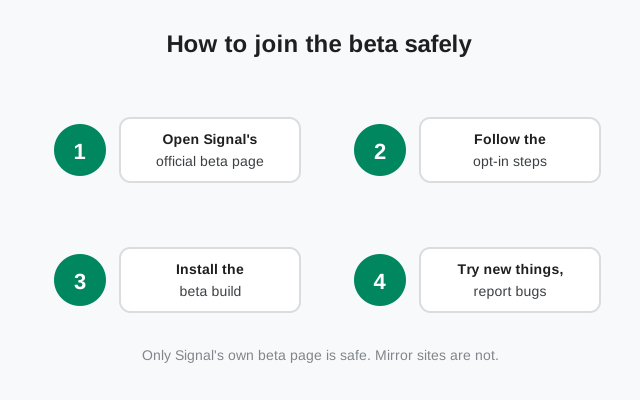
Open Signal's official beta page
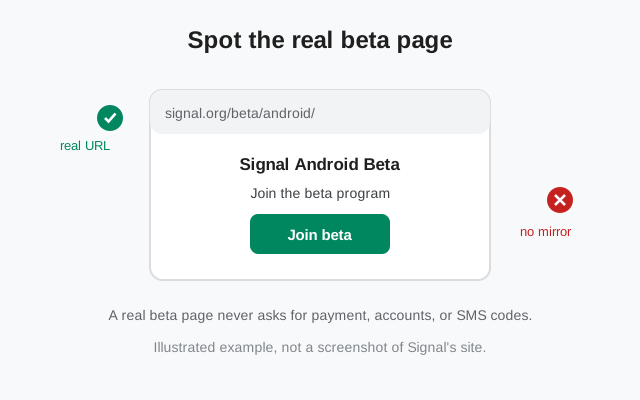
Go to Signal's Android beta page in your browser. Check the URL yourself: it must be on signal.org. This is the only page that can enroll you in the real beta.
Follow the opt-in steps on that page
The page walks you through opting in. Depending on your setup this routes you to the beta through Google Play, or to a pre-release APK on Signal’s GitHub releases page. Follow exactly what the page says.
Install or update when the beta arrives
After opting in, you get the beta build like a normal update. If you install the beta APK directly, allow installing from your browser once (our sideloading guide covers the steps).
Use it normally and watch for problems
That is your real job as a tester. Use the app the way you always do, and when something breaks, report it (see below).
What you get as a beta tester
The obvious reward is early access: new chat features, design changes, and settings arrive weeks before the stable release. For people who follow Signal's development, that is genuinely fun. You also get faster bug fixes for problems that only show up on your kind of device.
The less obvious reward is influence. Signal's developers read beta feedback. A bug you report can get fixed before millions of people ever see it. If you have ever been annoyed by an app update that broke something, the beta is your chance to be the person who catches it first.
Beta updates arrive through the same channel you joined: through Play if you joined through Play, or through Signal's own update system if you installed the website-track APK. The website build updates itself without Google Play, which is convenient if you are one of the many people who installed Signal without Play in the first place. Our no-Play-Store install guide covers that route.
The honest risks of running a beta
This section is not here to scare you off. It is here so you join with open eyes.
Bugs are the point. A beta can crash on launch, freeze during a call, or corrupt a message draft. If you depend on Signal for work or for safety-critical communication, that is a real cost.
Battery and performance. Debug code and unfinished features can drain your battery faster or heat up your phone. If you notice your phone getting warm after joining the beta, that is a normal beta symptom, not malware.
Breaking changes. A beta can change how a feature works and then change it back. Settings can move. A feature you liked can disappear in the next beta and return later.
Debug logs. When you report a bug, Signal may ask for a debug log. Logs can contain private information, so only share them with Signal's own developers and never paste them into a public forum or a random chat group.
Leaving is easy but plan ahead. You can leave the beta any time through the same page you joined on. But switching builds can require a reinstall in some cases, which is why the next section matters.
Switching between beta and stable
Here is where signing keys matter, and it is simpler than it sounds. The beta APK ships on Signal's website-build track, which means it is signed the same way as the website APK from Signal's download page. So a beta and the stable website build can replace each other with a normal update. No uninstall needed.
The Google Play build is the odd one out. It is signed with a different key than the website track. Android refuses to install an app signed with a different key over an existing install, and shows "App not installed". So if you move between the Play build and the beta (or the website build), you must uninstall first. This is the same conflict our Play-vs-website install guide explains in detail.
Back up before you switch
Open Signal, go to Settings, and create an encrypted backup with a passphrase you will remember. Write the passphrase down somewhere safe.
Uninstall the old build (only if the keys differ)
Going Play to beta, or beta to Play? Uninstall first. Going website build to beta? Just install over it.
Install the build you want and restore
Install, verify your number, and restore from your backup file.
How to report bugs the right way
A beta tester who never reports bugs is just a person running buggy software. Here is how to make your reports actually useful.
Reproduce it first. Before you report, try the same steps twice. If it only happened once, note that. Developers need to know if a bug is consistent or random.
Write down the basics. Every useful report has the same four things: your app version (Settings shows it, e.g. 8.30.x beta), your Android version, the exact steps you took, and what you expected vs what happened.
Report to Signal, not to us. We are an independent guide, not Signal's support team. Bug reports go to Signal's issue tracker on GitHub, where their developers actually read them. Search first to check whether someone already reported your bug. One good report beats ten duplicates.
Keep private things private. Bug reports are public. Do not include phone numbers, message content, or screenshots of private chats. If Signal asks for a debug log, submit it only through their own channel.
Do not spam. Feature requests are not bugs. If you just want a feature, say so once, clearly, in the right place. Repeated "please add this" comments bury the real bug reports.
Should you install the beta?
Join the beta if you are curious about new features, you are comfortable with occasional crashes, you have a backup of your chats, and you are willing to spend five minutes writing a bug report now and then.
Stay on stable if Signal is your main messenger, you rely on it for work or family, you share the phone with someone less technical, or the idea of filing bug reports sounds like homework.
There is no wrong answer here. Stable gets everything the beta gets, just a few weeks later and with the bugs already fixed. Most people should stay on stable, and that is fine. If you are still unsure, start on stable and reconsider the beta later. The beta page is not going anywhere.
FAQ
Is the Signal beta APK free?
Yes. The beta is free, just like the stable app. Any site charging money for a "beta" or "pro" Signal is a scam.
Can I leave the beta and go back to stable?
Yes, through the same beta page you joined on. If you are on the website track, the stable website build installs over the beta normally. If you are moving to or from the Play build, back up first and uninstall, because the signing keys differ.
Will the beta delete my chats?
Not by itself. But switching builds, especially with an uninstall in between, can wipe local data. Always make an encrypted backup before switching, and keep the passphrase somewhere safe.
Does the beta work without Google Play?
The website-track beta APK does, yes. It updates itself without Play, exactly like the stable website build.
Is there a beta for Signal Desktop or iPhone?
This guide covers Android only. Signal Desktop has its own release channel with its own beta builds, and iOS betas run through Apple's TestFlight. They are separate programs.
How do I know a beta APK file is genuine?
Only if it came from Signal's own beta page. Compare the signing-certificate fingerprint published on Signal's download page if you want to be thorough. Our safety checklist shows the exact steps.