
Molly vs Molly-FOSS: the difference is smaller than you think
Published: October 7, 2026 · Updated: October 8, 2026
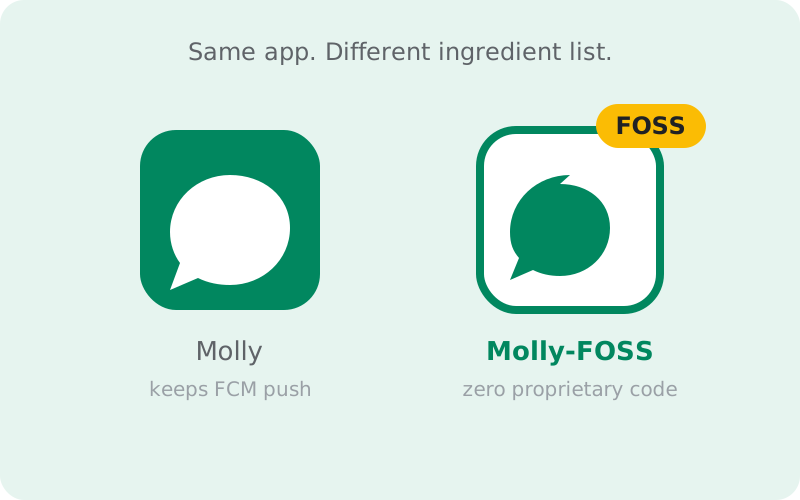
Molly and Molly-FOSS are two builds of the same independent Signal fork, both published by the developers at molly.im. The difference is one line: Molly-FOSS strips out every remaining proprietary component, so no closed-source Google code runs on your device at all; standard Molly keeps Google's push service (FCM) for notifications while adding the fork's extra features. Everything else is identical between the two builds: the messaging, the Signal protocol, the encryption, the network, your contacts. If your phone has Google services and you just want Molly's extras, take standard Molly. If your phone is Google-free (Huawei, GrapheneOS, de-Googled ROMs) or you want zero proprietary code on principle, take Molly-FOSS. This guide makes the choice concrete.
The one-line difference
Both builds are Molly: same project, same developers, same source base, same releases. The FOSS build is compiled without the proprietary bits: the closed-source Google libraries that the standard build still includes, most visibly the Firebase Cloud Messaging push library. In their place, Molly-FOSS uses open alternatives, principally UnifiedPush for notifications. That's the whole difference. It's not a different app, a different team, or a different feature set. It's the same app built with a stricter ingredient list.
The name is literal: FOSS means Free and Open-Source Software, and the FOSS build is the one where that claim holds for every component in the APK. Standard Molly is open source too (its own code is public), but it links against Google's proprietary push library, so the finished app isn't 100% open. If that distinction sounds academic, it is, for most people. It stops being academic the moment your phone can't run Google's proprietary code at all (no Google services installed) or you've decided none of it belongs on your device.
One more thing the name doesn't mean: "FOSS" is not a badge of extra security auditing, extra features, or a different development team. Don't read superiority into the label beyond what it claims: a stricter build recipe. The what-is-Molly guide covers the fork's background if you're new to the project entirely.
What the FOSS build actually removes
Concretely, the FOSS build removes the proprietary Google components that standard Molly (and official Signal) still ship. The big one is the FCM push library: the closed-source code that talks to Google's push servers. Around it go the other Google-adjacent proprietary pieces the fork can replace, including parts of contact discovery that lean on Google services. What replaces them: UnifiedPush for notifications (an open standard with a distributor app on your phone) and reworked Google-free implementations for the rest.
We'll stay qualitative here on purpose: the exact component list shifts between releases, and inventing a version-specific inventory would be dishonest. The principle is stable, though. If a component is proprietary, the FOSS build doesn't ship it. Check molly.im's current release notes if you want the precise list for the version you're installing. What matters for your decision is the consequence, not the inventory: no Google code means no Google services required, which is exactly what Google-free phones need.
Notifications: where you'll feel it
This is the difference you'll notice daily. Standard Molly uses FCM, Google's push service: reliable, battery-efficient, and deeply integrated with Android's power management on phones that have Google services. It behaves like official Signal's notifications because it is the same mechanism. Molly-FOSS uses UnifiedPush: a small distributor app on your phone holds a direct connection and wakes Molly when messages arrive. No Google servers involved, no Google account needed.
The tradeoff is honest and unavoidable. FCM is a shared, system-level service that Google has spent a decade optimizing. It's gentle on battery and almost never gets killed by the OS. A UnifiedPush distributor holds its own persistent connection, which costs more battery, and on phones with aggressive battery savers (some OEM skins are notorious for this) the distributor can be killed in the background, delaying notifications until the next time the connection re-establishes. On GrapheneOS and similar systems where you can exempt the distributor from battery optimization, it works well. On a stock phone with an aggressive task killer and no exemption, expect occasional delays.
Our UnifiedPush guide goes deep on setup and reliability. Read it before choosing FOSS for notification reasons alone. The short version: if your phone has Google services, FCM's reliability is genuinely hard to beat, and that's a point for standard Molly.
What stays the same
Almost everything you care about as a messenger user is identical between the builds. Same Signal protocol, same end-to-end encryption, same network, same servers. Chats, group chats, voice and video calls, disappearing messages, safety numbers, registration lock: all protocol-level, all the same. Your contacts can't tell which build you use, and a standard-Molly user and a Molly-FOSS user chat together with zero friction.
The fork's extras are also shared: the passphrase-locked local database, the additional settings, the backup format. Both builds follow Signal's releases with the same short delay, both are published with reproducible builds, and both are installed from the same two sources (molly.im directly or the official F-Droid repo). Choosing between them is not choosing between a "good" and "better" Molly. It's choosing a notification and dependency strategy. Keep that framing and the decision gets much easier.
Who needs Molly-FOSS
Take Molly-FOSS if any of these describe you:
- Your phone has no Google services: Huawei devices, GrapheneOS, CalyxOS, other de-Googled ROMs. On these phones FCM doesn't exist, so the standard build's push advantage evaporates and the FOSS build is the one designed for your setup.
- You've decided, as a matter of principle, that no proprietary code runs on your device. The FOSS build is the only build that satisfies that rule completely.
- You're already running a UnifiedPush distributor for other apps and want your messenger on the same independent push infrastructure.
For these users the FOSS build isn't a sacrifice. It's the point. The notification tradeoff is the price of the independence they already chose when they picked the phone or the principle. Our GrapheneOS install notes pair well with this choice if that's your setup.
Who should take standard Molly
Take standard Molly if: your phone has Google services and they work fine. That's the honest majority case. You get Molly's extras (passphrase-locked database, the fork's settings) with FCM notifications that are as reliable as official Signal's, and you skip the distributor setup and the battery tradeoff entirely. The proprietary push library runs on a phone that already runs plenty of proprietary Google code. Removing that one library changes nothing meaningful about your privacy posture.
There's a purist temptation to take FOSS "just in case" or for the badge. Resist it unless the reasons above apply to you: you'd be trading proven notification reliability for a principle your phone's setup doesn't actually follow. The FOSS build exists for Google-free environments, not as a general upgrade. Standard Molly is the right default for most people who want the fork at all. If you don't specifically want the fork's extras, official Signal remains the simplest choice of all.
The 60-second quiz
Short on time? Work down this list. The first line that matches you is your answer.
- No Google services on your phone? Huawei without GMS, GrapheneOS, a de-Googled ROM, or a region where Google is blocked: install Molly-FOSS.
- Zero proprietary code, as a matter of principle? Install Molly-FOSS, and budget setup time for UnifiedPush. You have already accepted this kind of trade-off elsewhere.
- Just want the fork's extras on a normal phone? Install standard Molly. The passphrase-locked database and the extra settings, with FCM notifications that simply work.
- Still unsure? Install standard Molly. It is the default for a reason, and switching later is a twenty-minute job with a backup (see Switching between builds below).
Whichever you pick, get it from molly.im only. The install guide covers verification.
Just use official Signal if...
An honest decision guide includes the option of choosing neither. Use official Signal instead of either Molly build if any of these sound like you:
- You want updates the day they ship. Molly follows Signal's releases with a rebuild gap while the small independent team reviews and recompiles. No fork can beat upstream's release speed; that is structural.
- You want one official support channel. For most people most of the time it makes no difference, but when you hit a genuinely strange problem, Signal's support team is a shorter path than a fork's issue tracker.
- You do not care about the fork's extras. If the passphrase-locked database and the extra settings do not interest you, Molly adds moving parts for no benefit you will feel.
- Someone else manages the phone. Setting up a family member? Official Signal from the Play Store is a one-sentence install you never have to think about again.
- You like the Play Store flow. Automatic updates, no sideloading, no repository to add. There is real value in boring.
Choosing official Signal is not failing the quiz. The fork exists for specific situations, and an ordinary phone with Google services is a perfectly good reason to stay on the standard app.
Side-by-side comparison
| Standard Molly | Molly-FOSS | |
|---|---|---|
| Project & developers | Same (molly.im) | Same (molly.im) |
| Proprietary components | Some remain (FCM push library and others) | None: fully open build |
| Notifications | Google FCM (like official Signal) | UnifiedPush via a distributor app |
| Needs Google services? | Yes, for FCM push | No |
| Battery impact of push | Low (shared system service) | Higher (own persistent connection) |
| Notification reliability | Excellent on Google phones | Good; depends on distributor surviving battery savers |
| Messaging & encryption | Signal protocol, identical | Signal protocol, identical |
| Fork extras (DB lock etc.) | Yes | Yes |
| Release timing | Follows Signal, short delay | Same |
| Install sources | molly.im / official F-Droid repo | molly.im / official F-Droid repo |
| Best for | Most users who want the fork | De-Googled phones, zero-proprietary-code setups |
Switching between builds
Picked the wrong one? It's fixable, but it's a reinstall, not a toggle. The builds are separate apps with separate signatures. Back up first: create an encrypted backup inside your current build with a passphrase you'll remember, and confirm the backup file exists before you uninstall anything. Then install the other build from molly.im (the install guide covers verification) and restore the backup during setup. Both builds understand the same backup format, so your chats carry over.
One caution: don't try to install one build "over" the other expecting an upgrade. The signatures differ, so Android will refuse, and that's the system protecting you. Treat it as a clean migration: backup, verify, install, restore, then uninstall the old build once you've confirmed everything arrived. And if you're switching to the FOSS build specifically for UnifiedPush, install and configure your distributor app before you start, so notifications work from the first message.
from Signal's official site (file hosted by Signal, not by us)
Still unsure? The decision is genuinely low-stakes: both builds are the same app with the same protocol, and switching later costs you twenty minutes with a backup. Pick the one that matches your phone today: standard for Google phones, FOSS for Google-free ones. Then move on.
Frequently asked questions
Is Molly-FOSS more secure than standard Molly?
Not meaningfully. Both builds share the same code, the same Signal protocol, and the same encryption. FOSS removes proprietary components, which is about software freedom and Google-independence, not about stronger encryption. Don't mistake the label for a security upgrade.
Does Molly-FOSS miss any features?
The messaging features and the fork's extras are the same in both builds. What differs is under the hood: the push mechanism and the proprietary components. If a feature you want depends on a Google service, the FOSS build won't have that path. But for messaging itself, there's no feature gap.
Which build gets updates faster?
Neither has an edge. Both builds come from the same project and follow Signal's releases with the same short delay. Watch molly.im's release notes for your build rather than expecting one to lead the other.
Can I move my chats between the two builds?
Yes. Both builds use the same encrypted backup format, so the standard flow applies: back up in the old build with a passphrase, install the new build from molly.im, restore during setup, and confirm everything arrived before uninstalling the old one.
I'm on a normal phone with Google services. Should I still pick FOSS?
Honestly, no. Unless zero proprietary code is a principle you hold. On a Google phone you'd trade FCM's proven reliability for a UnifiedPush setup that buys you little, since the phone already runs Google services. Standard Molly is the sensible default there.
Is there a quick way to decide between the two builds?
Yes. Work down the 60-second quiz above: no Google services or a zero-proprietary-code principle means Molly-FOSS; a normal phone where you just want the fork's extras means standard Molly; still unsure means standard Molly too. And if none of those fit, official Signal is the honest answer.
Should I just use official Signal instead of Molly?
If you want updates the day they ship, one official support channel, and zero sideloading, yes. Molly exists for specific situations: Google-free phones and the passphrase-locked database. On an ordinary phone with Google services, official Signal is the simpler choice.
- Molly hub: the full map of fork guides
- What is Molly: the fork explained from scratch
- Install Molly APK: the safe install path
- Molly notifications without Google: the FOSS push mechanism
- Molly vs Signal: fork vs official, honestly
- Signal on GrapheneOS: the de-Googled setup