
Signal APK vs Play Store: the Two Official Builds Compared
Published: October 7, 2026 Updated: October 8, 2026
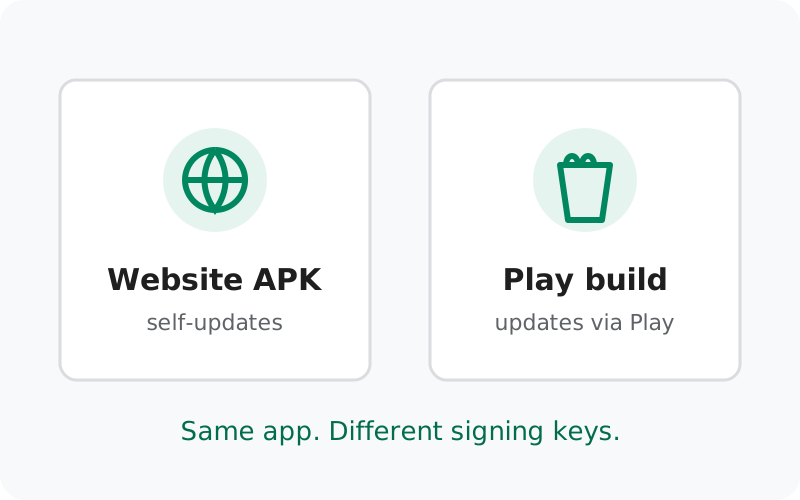
Most of the confusion around Signal's APK comes from not realizing there are two legitimate builds in the first place. People download the APK, try to install it over their Play version, get an error, and assume something is broken or fake. Nothing is broken. Android simply refuses to replace an app with one signed by a different key, and Signal signs the two builds with different keys on purpose. Once you understand that, everything else falls into place: updates, notifications, switching.
from Signal's official site — file hosted by Signal, not by us
The two builds, side by side
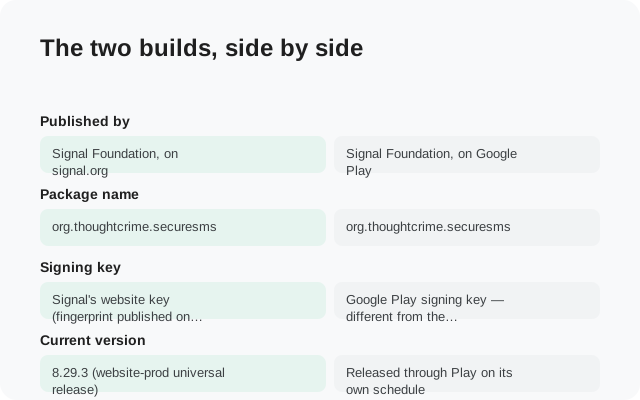
| Website APK build | Play Store build | |
| Published by | Signal Foundation, on signal.org | Signal Foundation, on Google Play |
| Package name | org.thoughtcrime.securesms | org.thoughtcrime.securesms |
| Signing key | Signal's website key (fingerprint published on the download page) | Google Play signing key: different from the website key |
| Current version | 8.29.3 (website-prod universal release) | Released through Play on its own schedule |
| Updates | Self-updating: the app checks and installs its own updates | Updates through the Play Store like any other app |
| Needs Google Play Services? | No | Comes from Play, but the app itself works the same |
| Notifications without Play Services | Yes: keeps its own background connection | Same behavior when Play Services are absent |
| Who it is for | Phones without the Play Store (Huawei, de-Googled phones, blocked regions); advanced users | Everyone with a working Play Store |
| Play Protect scanning | One-time warning on install (normal for sideloaded apps) | Full Play Protect coverage |
The app itself is the same in both: chats, calls, encryption, features. Signal builds both from the same source code. Nothing is stripped out of the APK and nothing extra is bundled into the Play version. The differences are all about how the app reaches your phone and how it stays current.
Why the signing keys matter
Android's security model ties an app's identity to the key that signed it. An update is only allowed to replace an installed app if the new file carries the same signature. This is how Android stops a malicious update from hijacking your banking app: only the original developer's key can update it.
Signal's website build and Play build carry different signatures. To Android, they are two different apps that happen to share a package name. The practical consequences:
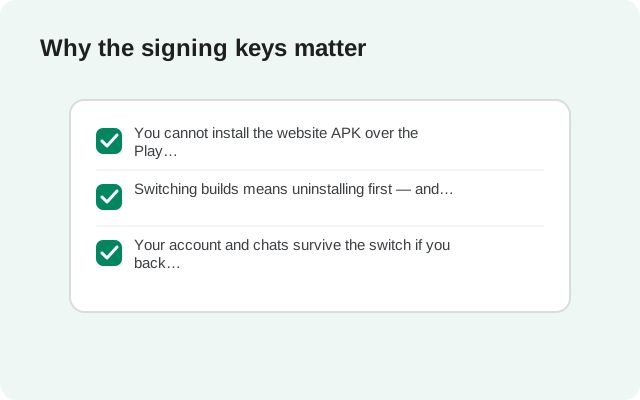
- You cannot install the website APK over the Play version. The installer will refuse (usually with an "app not installed" error). This is expected behavior, not a broken file.
- Switching builds means uninstalling first. Uninstalling wipes the app's local data. That is why a backup before switching is not optional.
- Your account and chats survive the switch if you back up first. Signal's backup and restore system doesn't care which build made the backup.
There is an upside to the separate keys: the website build's fingerprint is published on Signal's download page, so you can verify it yourself with apksigner. With the Play build, you trust Google's store pipeline instead. Two different trust paths, both legitimate.
How each build updates
Website APK: the app checks for new versions on its own and offers to install them. You don't need the Play Store, an account with Google, or any third-party updater. Say yes when it prompts you. Updates include real security fixes, and sideloaded apps don't get them any other way. If an update ever stalls, you can always grab the latest file from the official page and install it over your existing website build (same key, so over-installing works fine).
Play Store build: updates arrive through the Play Store like every other app: automatically if you have auto-update on, or manually from the store page. Nothing special to do.
One thing to know: the two channels don't always ship the same version number on the same day. The current website build is 8.29.3; the Play channel moves on its own release schedule. A small version gap between the two is normal and not a sign that one of them is fake.
Notifications with and without Play Services
This is the question Huawei and GrapheneOS owners ask most, and the answer is reassuring. Signal does not depend on Google's push system to function. When Google Play Services are present, the app can use them for push notifications like most apps do. When they are absent, the exact situation the website APK is made for, the app keeps its own persistent background connection to Signal's servers and delivers notifications itself.
What that means in practice:
- On a normal phone with Play Services, both builds notify you instantly. No difference.
- On a phone without Play Services, the website build still notifies you. But you should exempt Signal from battery optimization, or the phone's power saver may kill the background connection and delay messages. This is the single most common "no notifications" complaint on Huawei phones, and it's a phone setting, not a Signal bug.
- The app never needs a Google account, and your messages are end-to-end encrypted either way. The notification path doesn't change the encryption.
Switching from one build to the other
Whether you're moving Play → website or website → Play, the procedure is identical because the constraint is identical: different keys, so one must be uninstalled before the other goes on.
Back up on the old build
Turn on Signal's Secure Backups (Settings → Backups) and save your 64-character recovery key somewhere safe: a password manager or written down. This backup is end-to-end encrypted and restores on either build. Our backup-before-switching guide covers this step in detail.
Uninstall the old build
Remove the Play version (or the website APK) from your phone. Yes, this wipes local chat data. That is what the backup is for.
Install the new build
Install from the Play Store, or download the APK from signal.org/android/apk and sideload it.
Register and restore during setup
Register with the same phone number, enter your Signal PIN, and choose the restore option when the setup flow offers it. Enter your recovery key. Your chats come back.
Which build should you choose?
A simple decision framework:
| Your situation | Pick this build |
|---|---|
| Phone has a working Play Store | Play Store build. One-tap install, silent updates, Play Protect scanning. There is no advantage to the APK here. |
| Huawei/Honor phone without Google services | Website APK. This is exactly what it's for. Remember the battery-optimization setting for notifications. |
| De-Googled phone (GrapheneOS, /e/OS, no GApps) | Website APK. Works fully; notifications run over Signal's own connection. |
| Play Store blocked in your region | Website APK. Downloaded directly from Signal's site, no Google account needed. |
| Work phone with MDM | Ask your IT policy first. Sideloading may violate it; the Play version may be the only allowed route. |
| You just like sideloading | Honestly? Play build. The APK gives you extra steps and zero extra features. Save yourself the trouble. |
Notice the pattern: the website APK is the answer when the Play Store is unavailable, not when you merely prefer it. Signal's own download page says the same thing in plainer words: the direct APK is for advanced users with special needs, and most people shouldn't use it under normal circumstances.
Frequently asked questions
Can I install the Signal APK over the Play Store version?
No. The two builds use different signing keys, so Android blocks the install. Back up your chats, uninstall the Play version, then install the APK.
Is the website APK the same app as the Play version?
Yes. Same code, same features, same encryption, same package name (org.thoughtcrime.securesms). Only the signing key and the delivery channel differ.
Does the website APK update automatically?
Yes, it checks for and installs its own updates without the Play Store. Keep accepting the update prompts so you stay on patched versions.
Will I lose my chats if I switch builds?
Not if you back up first. Enable Secure Backups and save your recovery key before uninstalling, then restore during setup on the new build.
Do I get notifications on a Huawei phone without Google services?
Yes. The app maintains its own background connection for notifications. Exempt Signal from battery optimization so the phone doesn't kill that connection.
Which build is safer?
Neither is safer. Both are official. The Play build gets Play Protect's scanning; the website build's signature can be verified by hand against the published fingerprint. Pick based on whether you have the Play Store.
Related guides
- Compare hub: all Signal comparison guides in one place
- Move from the Play build to the website build: the full migration walkthrough
- Move from the website build to the Play build: the reverse migration
- Back up before switching builds: the mandatory first step
- Verify the APK's SHA-256 fingerprint: confirm the website build is genuine