
Signal vs Molly: Official App vs Independent Fork
Published: October 7, 2026 · Updated: October 8, 2026
Most "Signal vs" comparisons are about rival companies. This one is different: Molly is built from Signal's own open-source code, talks to Signal's own servers, and chats with the same contacts. The question is not which network to join. It is whether to use the app Signal Foundation ships or a modified version maintained by an independent developer. That is a trust question, and it deserves a careful, honest answer rather than a cheer for either side.
from Signal's official site — file hosted by Signal, not by us
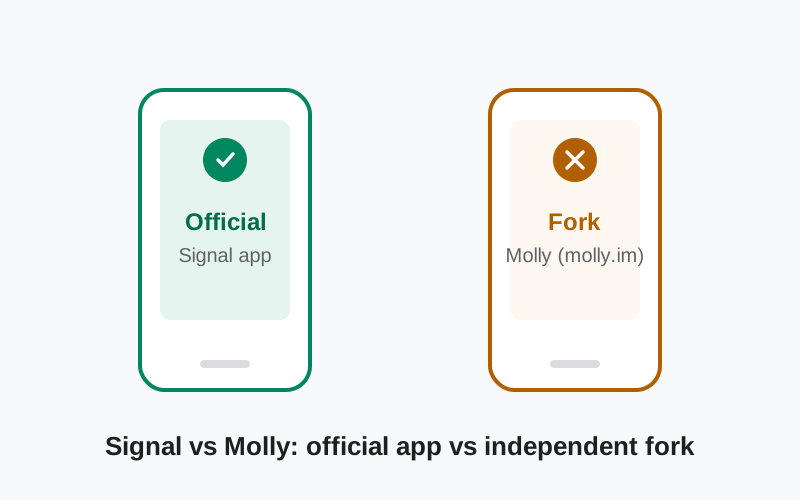
The two apps, side by side
| Signal (official) | Molly (fork) | |
| Made by | Signal Foundation | An independent developer; published at molly.im |
| Official / endorsed | Yes | No. Independent and unofficial, clearly labeled as a fork |
| Network and account | Signal's network, your Signal account | The same Signal network, your same Signal account |
| Chat compatibility | Chats with everyone on Signal | Chats with everyone on Signal, including official-app users |
| Source code | Open source (AGPLv3 client) | Open source fork of the same code |
| Updates | Direct from Signal, fastest | Follow official releases; can lag behind by days or weeks |
| Google-free build | No official Google-free variant | Molly-FOSS: built without proprietary Google components |
| Database encryption at rest | Relies on Android's device encryption | Encrypted database with its own lock, plus duress password |
| Encrypted backups with passphrase | Secure Backups with recovery key | Its own encrypted backup files restorable with a passphrase |
| Proxy support | Built-in proxy settings | Built-in proxy settings, including SOCKS support |
| Support | Signal's official support channels | Community and the fork's own channels; not Signal support |
Because both apps speak to the same network, switching between them does not strand your contacts. Your Signal account, your safety numbers, your groups: all the same on either app. The differences are in the client software on your phone, not in the service.
What Molly actually is (and is not)
Signal's Android client is open-source software. That license gives anyone the legal right to take the code, modify it, and distribute the result, and that is what Molly is: a modified build of Signal's Android app with additional features, maintained independently and published at molly.im. It is not a separate messenger, not a "Signal Pro," and not affiliated with Signal Foundation in any way. When you register Molly, you register a normal Signal account on Signal's servers. When you message someone, the encryption is the Signal Protocol, and your contact cannot tell which client you are using.
What it is not matters as much. It is not a way to use Signal without a phone number; registration works the same as the official app. It is not reviewed or audited by Signal's security team. And it is not magic: it cannot make Signal's servers store less data or change how the network works, because it is only a different client for the same network.
If you ever see an app calling itself "Molly" anywhere other than molly.im, treat it as suspicious. The fork has one home. Anything else using the name is riding on its reputation.
Molly vs Molly-FOSS: the two editions
Molly ships in two editions, and the distinction is the main reason the fork exists at all.
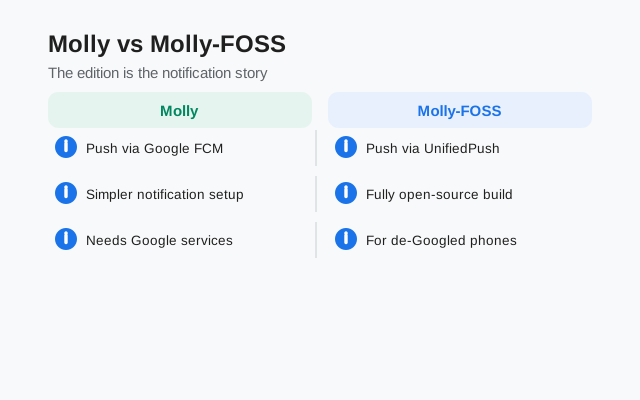
Molly is the standard edition for normal phones (it works with Google Play Services); Molly-FOSS is built without proprietary Google components for de-Googled phones (GrapheneOS, /e/OS, Huawei phones without GMS, and similar). Both add the fork's extras: an encrypted local database, an app lock, a duress password, encrypted backups, and SOCKS proxy support. The full side-by-side, including the 60-second quiz for picking one, is in our Molly vs Molly-FOSS comparison. If you are weighing the Google-free edition directly against the official app, our Signal vs Molly-FOSS comparison covers that decision.
Both editions use different package names from the official app, which means you can technically install Molly alongside Signal. In practice you would not run two clients on one number simultaneously; pick one as your daily driver.
Where the official app wins
Trust is simpler. With the official app, you trust one organization, Signal Foundation, whose code is public and whose security team responds to issues. With Molly, you trust Signal Foundation plus the fork's maintainer and build process. Every extra party in your trust chain is a party that could, in theory, make a mistake or go rogue. For most people, the shorter trust chain wins.
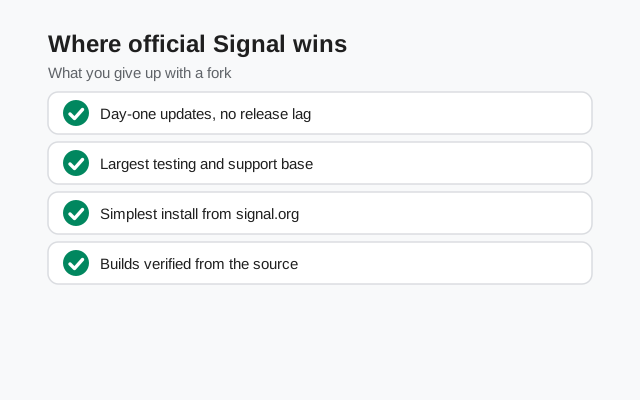
Updates arrive first. Security fixes land in the official app immediately. A fork has to merge each release, rebuild, and publish, which takes time. In the window between an official security update and the fork's rebuild, fork users run the older code. For a security-critical app, that lag is a genuine cost.
Support exists. If something breaks in the official app, Signal's support and community can help. If something breaks in Molly, Signal's team will (reasonably) tell you it is not their app. You are depending on a much smaller support community.
No confusion about what you installed. The official app comes from signal.org or the Play Store, signed by Signal. Verifying that is straightforward, and our APK verification guide walks through it. A fork adds one more "is this download genuine?" question to answer.
Where Molly wins
The Google-free build. This is Molly's strongest card. If you run a de-Googled phone, Molly-FOSS gives you Signal's network without any proprietary Google components in the client. The official app works on such phones, but it is not built Google-free. For a meaningful number of privacy-focused users, that is exactly the gap Molly was created to fill.
Encryption at rest. The official app relies on Android's full-disk encryption to protect your message database when the phone is locked. Molly encrypts its database with its own key and adds an app lock, so your chats get a second layer even if the device encryption is somehow bypassed. For people with a serious device-seizure threat model, that is not a gimmick.
The duress password. Molly lets you set a separate password that, when entered instead of your real one, wipes the app's data. If you are ever forced to unlock your phone, this gives you a last-resort option the official app does not have. Most people will never need it. The people who need it really need it.
Backup flexibility. Molly's encrypted backup files, restorable with a passphrase you choose, give you a portable, app-independent copy of your history. Combined with the official backup options, you have more ways to keep your data safe.
Notice the pattern: Molly's advantages are all about the client on your phone, not the network. It cannot improve Signal's servers, because it does not run them.
The trust question, honestly
Here is the uncomfortable part, stated plainly. Molly is open source, which means its changes can be inspected. But almost nobody who installs it actually reads the code, so in practice you are trusting the maintainer's reputation and the community watching the project. That is a reasonable thing to do. Open-source software works this way everywhere. But it is not the same as the assurance you get from Signal Foundation's own builds. Those are produced by the team that wrote the protocol and reviewed by professional security researchers.
There is also a subtle risk people miss: a messaging client handles your most sensitive data before encryption. A malicious or compromised client could leak messages regardless of how good the protocol is. That is true of any app, official or fork, which is exactly why the official build's shorter trust chain and faster security updates matter. If you choose Molly, download it only from molly.im, verify what you can, and keep it updated.
None of this means Molly is untrustworthy. It means trust should be conscious. "It is open source" is a good start, not a complete argument.
Who should pick which
| Your situation | The honest pick |
|---|---|
| You want the safest default | Official Signal app. Shortest trust chain, fastest updates, real support. |
| De-Googled phone, no Google code wanted | Molly-FOSS. This is the fork's home turf. |
| You face device seizure or coercion risk | Molly (duress password, encrypted database), installed only from molly.im. |
| You are not technical and just want private messaging | Official Signal app. Less to verify, less to get wrong. |
| You want every official feature on day one | Official Signal app. Forks trail releases. |
| You audit code or want maximum client control | Molly, if you will actually review what you run. |
A final practical note: whichever client you choose, the account-level protections matter just as much. Set a Signal PIN (registration lock), turn on encrypted backups, and verify safety numbers with important contacts. Those steps protect you identically on both apps, because both apps talk to the same network.
If you go with the official app and need it without the Play Store, our Signal APK download guide covers getting and verifying it. Our Molly hub collects everything on this site about the fork.
Frequently asked questions
Is Molly official? Is it made by Signal?
No. Molly is an independent open-source fork published at molly.im. It is not made, endorsed, or supported by Signal Foundation. It connects to Signal's network as a third-party client.
Is Molly safe to use?
Molly is open source and widely used in privacy communities, but using any fork means trusting its maintainer in addition to Signal. Download only from molly.im, keep it updated, and understand that security fixes may arrive later than in the official app.
Can I chat with Signal users from Molly?
Yes. Molly uses the same Signal network and protocol, so Molly users and official-app users message each other normally. Your contacts cannot tell which client you use.
What is the difference between Molly and Molly-FOSS?
Molly is the standard edition with the fork's extra features. Molly-FOSS is built without proprietary Google components, for de-Googled phones that have no Google Play Services.
Does Molly let me use Signal without a phone number?
No. Registration works the same as the official app: a phone number is required. Molly changes the client on your phone, not Signal's account system.
Will Signal ban me for using Molly?
Molly is a client for Signal's public network using your normal Signal account, and it is openly developed as a fork of Signal's open-source code. That said, it is unofficial, so if you hit problems, Signal's support will not cover you.
Related guides
- All Signal comparisons: the full compare hub
- Molly hub: everything on this site about the fork
- Install Signal without the Play Store: sideloading walkthrough
- Verify the APK's SHA-256 fingerprint: confirm the official build